
Behaviour in the storefront
Direct call
When a customer opens the request URL of a landing page, the shop loads the listing of the assigned category and applies the landing page's filter combination. The assigned layout is rendered; without a layout the page stays empty.
The page's <head> contains the landing page's data:
<title>from the meta title (fallback: name), meta description (fallback: description), keywordsrobotsfrom the robot type<link rel="canonical">from the canonical URL, resolved for sales channel and language
Landing pages without a variant in the current sales channel, without a category or in state inactive return a 404 error.
Filters on the landing page
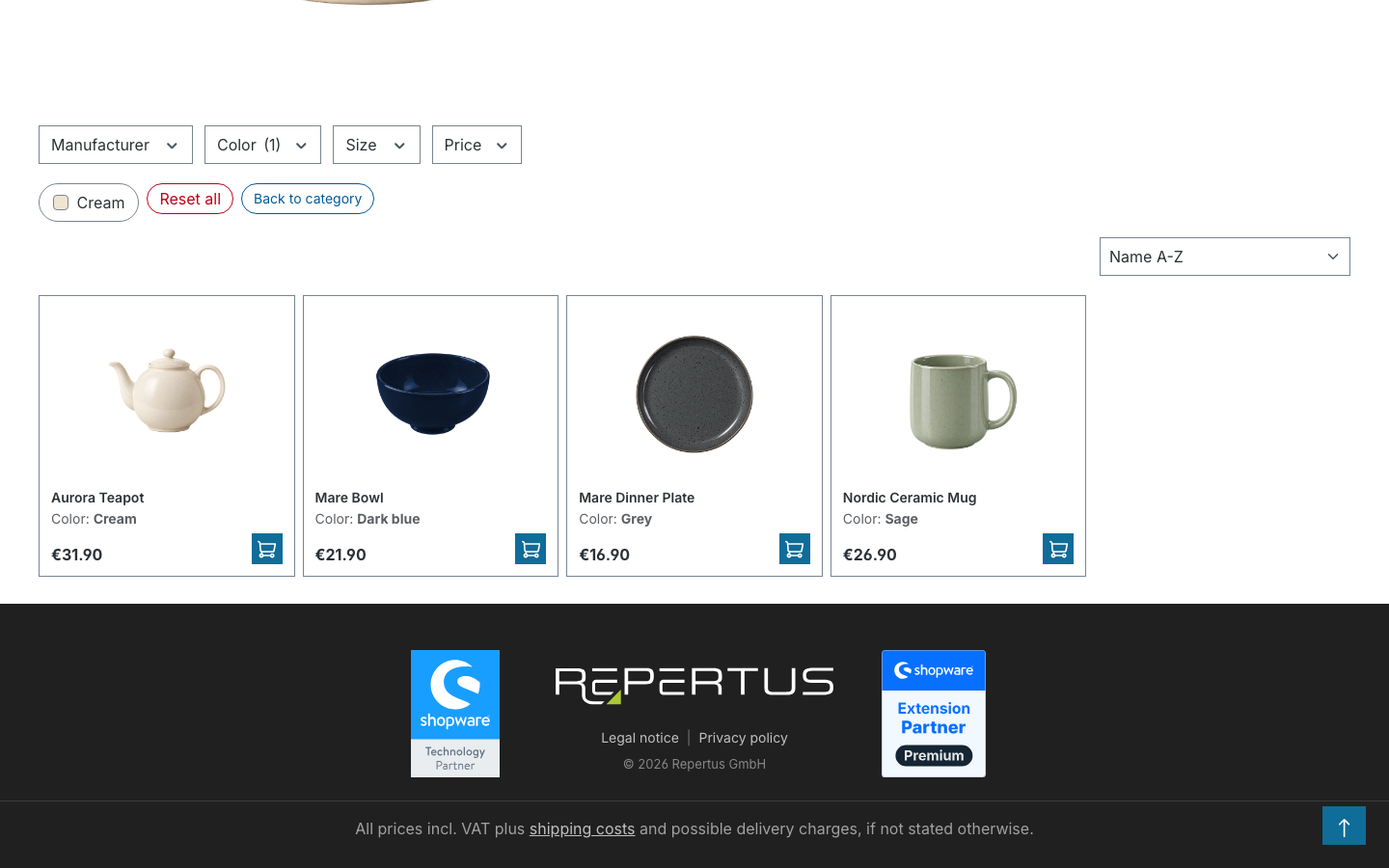
The landing page's filters appear as active filters but have no remove button; the corresponding options in the filter bar are greyed out. They define the page and therefore cannot be removed. Reset all only removes the additionally set filters.
Additional filters (further properties, price, free shipping, rating) narrow the list further. The landing page URL is kept, the additional filters are appended as parameters. Sorting and pagination work as in any listing.
If a landing page filter is removed anyway, for example by editing the address in the browser, the shop redirects to the category listing and keeps the remaining filters.
The Back to category button in the filter bar leads to the unfiltered listing of the category. It can be hidden in the plugin settings; the text can be changed via the snippet system (tonur.landingpagePage.backToCategoryButtonText).
Redirect from the listing
When a customer sets filters in a regular category listing, the shop checks on every change whether the active filter combination corresponds exactly to a landing page. If so, the customer is redirected to its request URL. Requirements:
- The landing page is active and assigned to the current sales channel.
- Its category is the current category (or it uses the sales channel navigation).
- The filter combination matches exactly: the same properties and manufacturers, no further filters.
- The customer is on page 1 of the listing.
A chosen sorting is carried over if it differs from the default sorting.
If several landing pages share the same filter combination in the same category, the first one found wins. Such duplicates should be avoided.
Breadcrumb
If Show Landingpage Breadcrumb is enabled in the plugin settings and the landing page's breadcrumb field is filled (currently only possible via the API), the landing page is appended as the last element of the category breadcrumb.
Sitemap
Active landing pages are included in the sitemap of every assigned sales channel, with priority and change frequency from the SEO & Sitemap tab. Excluded are landing pages with Exclude from sitemap as well as URLs excluded in Shopware's sitemap configuration.
Layout and data mapping
An assigned Shopping Experience layout is rendered with the filtered listing. Text and image elements can be filled per landing page in the Layout tab; via the Shopping Experience data mapping the landing page's fields (title, description, meta data) are available, so one layout is enough for many landing pages. Default category blocks such as the product listing and the filters are filled with the landing page's data automatically.
Caching
Landing pages are stored in the HTTP cache like category pages. Changes to a landing page become visible through indexing; if in doubt, clear the cache under Settings → System → Caches & Indexes.
Compatibility
If the plugin Dreisc SEO Pro is installed, the plugin hands the landing page's canonical URL over to its canonical management.